Best Pomodoro Timer Apps in 2026: A Detailed Comparison
11 August 2026
Quick picks
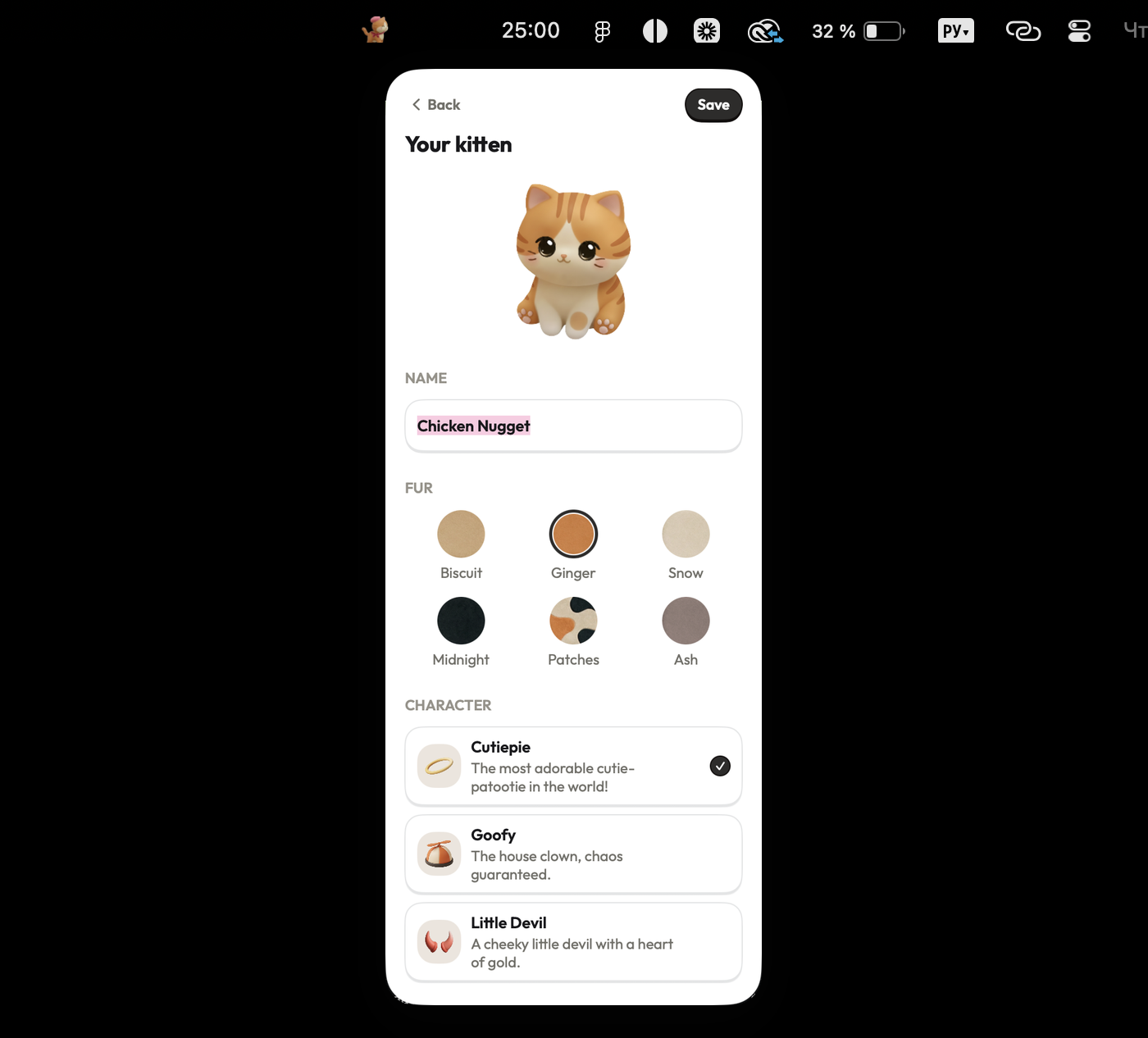
- Best for Mac users: Focus Kitten — native menu bar timer with a customizable kitten companion.
- Best free web app: Pomofocus.io — simple web timer with an integrated task list.
- Best for mobile: Forest — gamified focus timer with tree-planting mechanics.
- Best for iOS: Focus Keeper — interval timer with detailed progress charts.
- Best for teams: Toggl Track — full time-tracking platform with Pomodoro features.
1. Focus Kitten — Best for Mac Users
Platform: macOS (native, Apple Silicon & Intel)
Price: a subscription, free for the first 14 days (no card required)
Timer location: Mac menu bar
Standout feature: Kitten companion and room customization
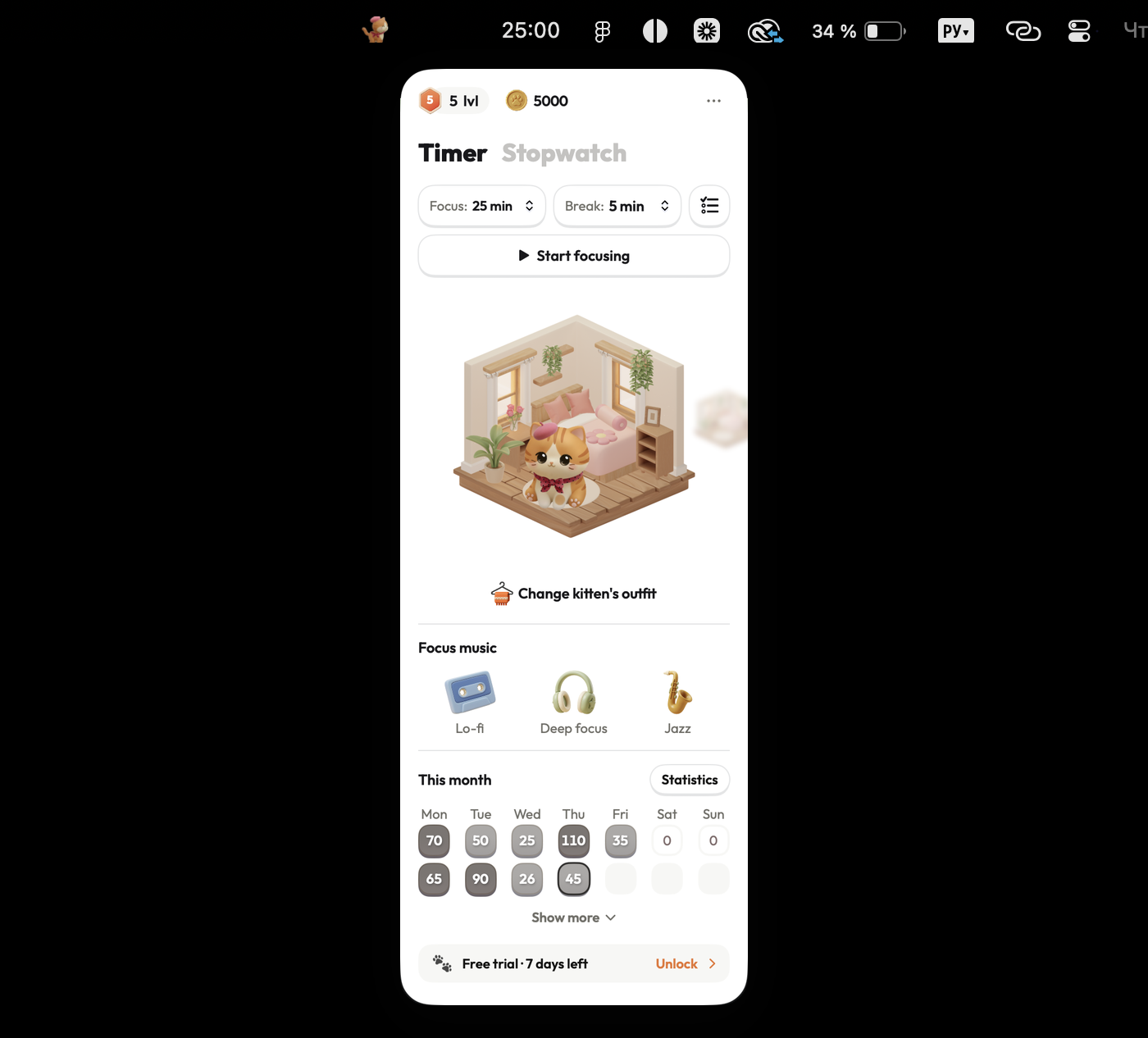
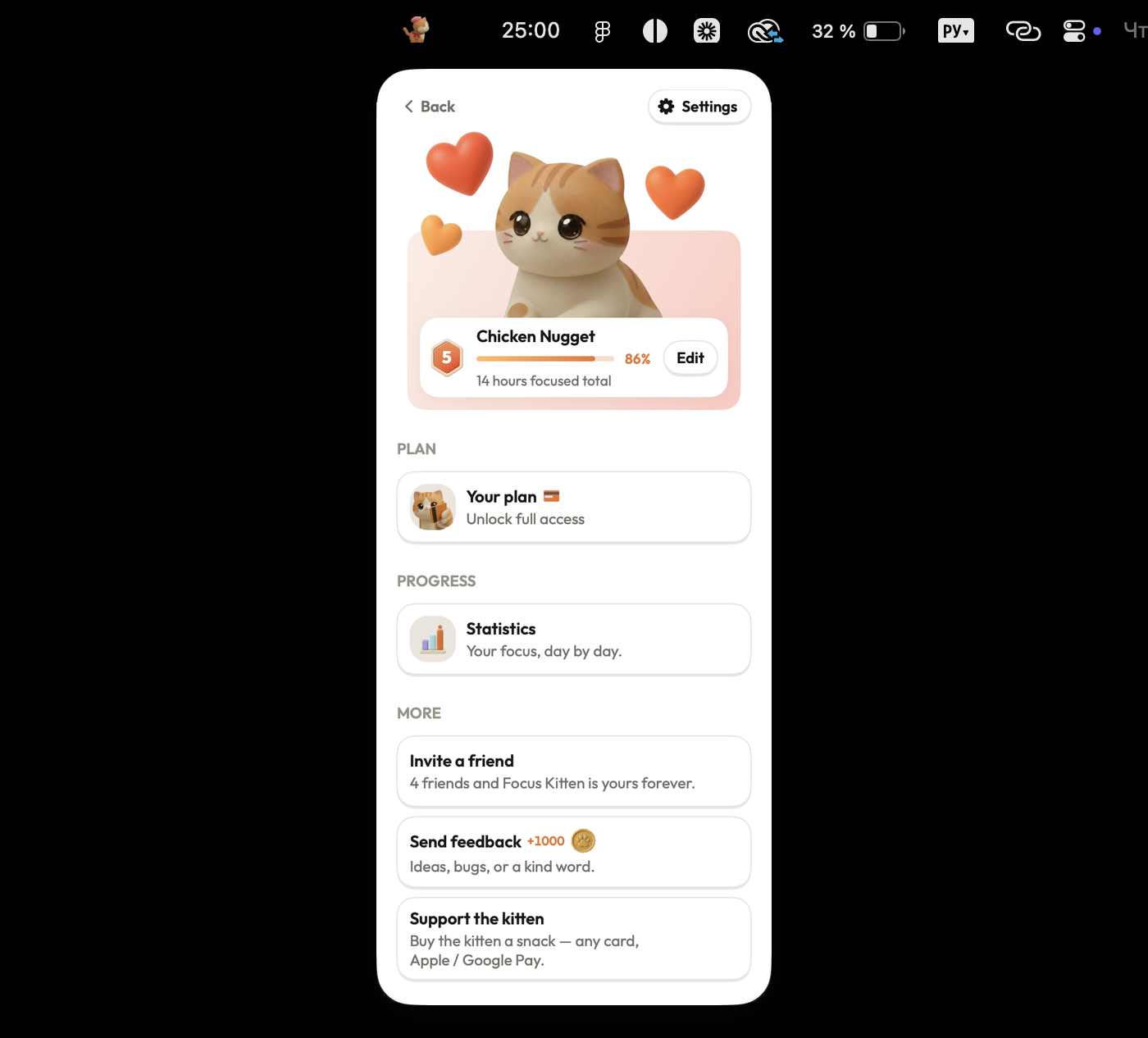
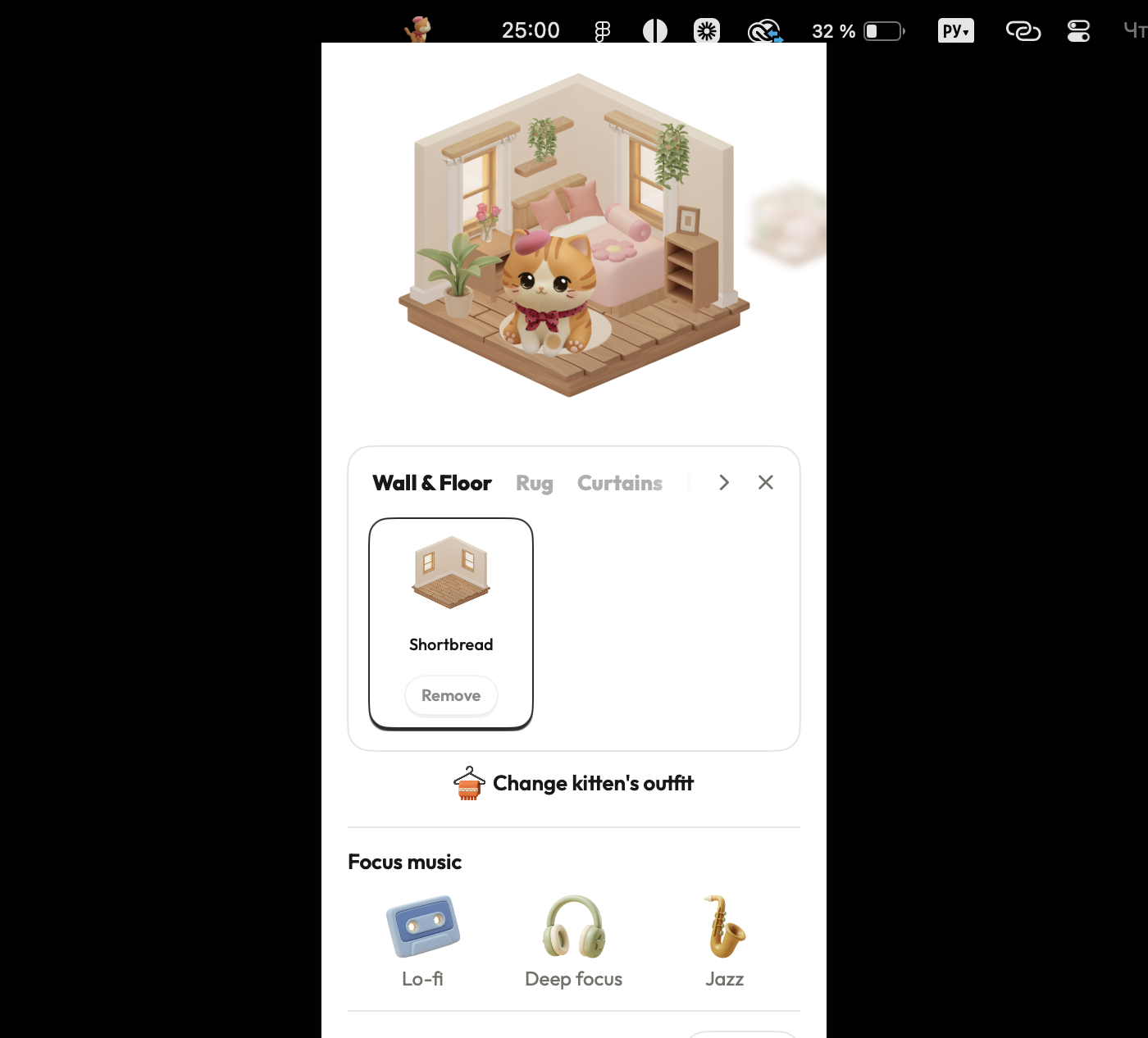
Focus Kitten stays directly in the macOS menu bar, keeping your work timer visible beside the clock without taking up desktop space or requiring app switching. Starting a timer (1 to 180 minutes) or stopwatch earns coins upon completion, which are spent in the shop on furniture, outfits, and decor for your kitten's room. The popover includes built-in lo-fi, deep focus, and jazz audio tracks, along with statistics by day, week, and month.
Pros:
- Native macOS menu bar app that stays visible without extra windows.
- Completed focus sessions yield coins to furnish and decorate your kitten's room.
- Built-in focus music tracks (lo-fi, deep focus, jazz).
- No account, sign-up, or credit card required for the 14-day trial.
Cons:
- macOS only, with no Windows, Linux, or mobile versions.
- Paid app following the free trial.
Best for: Mac users who want an always-visible menu bar timer with built-in audio and rewards for completed focus sessions.
2. Pomofocus.io — Best Free Web App
Platform: Web browser
Price: Free (optional Premium upgrade)
Timer location: Browser tab
Standout feature: Task list integration
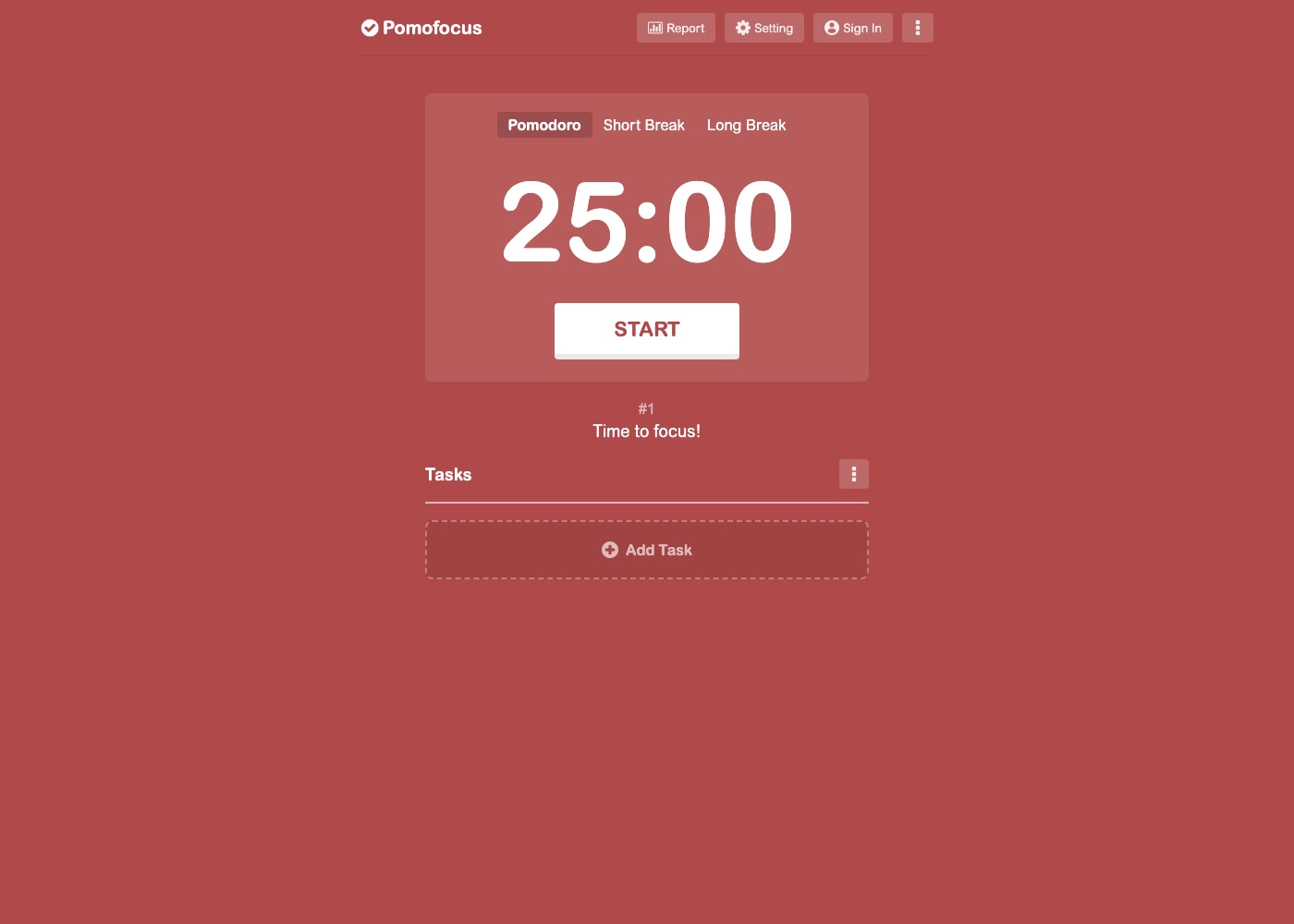
Pomofocus is a web-based Pomodoro timer that runs in any browser without requiring an account. The interface changes background colors to indicate work sessions versus short or long breaks. It includes a basic task list directly beneath the timer where you can list work items and assign estimated pomodoros.
Pros:
- Works instantly in any web browser without installation or sign-up.
- Integrated task list for estimating and tracking work items.
- Tab title updates to display remaining time.
Cons:
- Runs in a browser tab, making it easy to lose under other open tabs.
- Lacks native Mac menu bar integration.
- Requires browser permissions for audio alerts and desktop notifications.
Best for: Users seeking a simple, web-based timer with a basic task list.
3. Forest — Best for Mobile
Platform: iOS, Android, Chrome extension
Price: $3.99 on iOS, free with ads on Android
Timer location: Full-screen mobile app
Standout feature: Plants virtual trees during focus sessions
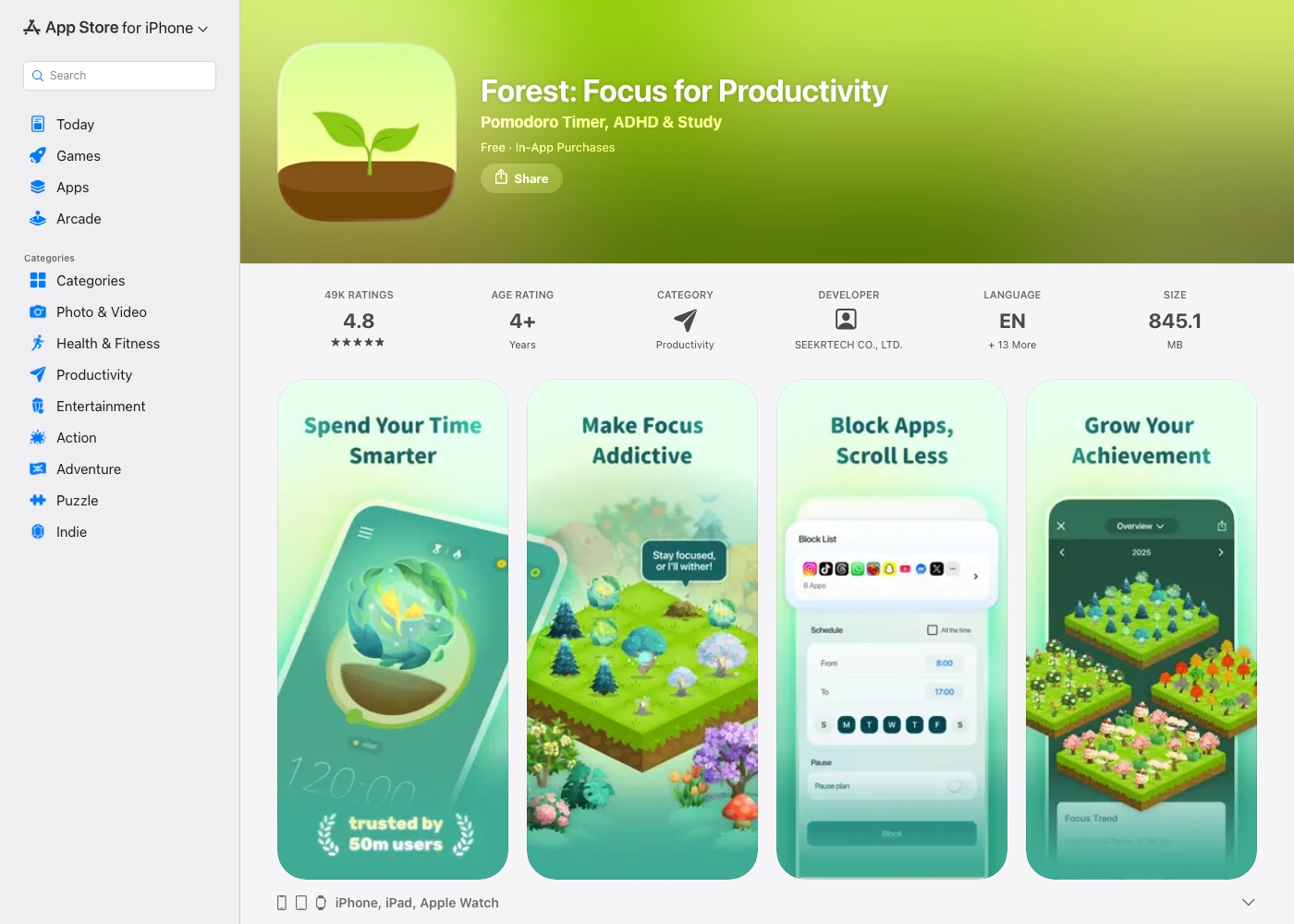
Forest uses visual consequences to keep users off their mobile devices. Starting a focus session plants a virtual tree that grows as the timer runs, but leaving the app causes the tree to wither. Completed sessions earn virtual currency used to unlock new tree species or contribute to planting real trees through environmental partner organizations.
Pros:
- Discourages phone checking by killing the virtual tree if you leave the app.
- Visual history of focus sessions represented as a growing forest.
- Real-world tree planting through partner projects.
Cons:
- Designed primarily for mobile devices rather than native Mac desktop use.
- No native macOS menu bar integration.
- Requires an account to synchronize session history across devices.
Best for: Mobile users who want an anti-distraction mechanic to stay off their phones.
4. Focus Keeper — Best for iOS
Platform: iOS, iPadOS, Apple Watch
Price: Free (optional Pro upgrade)
Timer location: iOS app and Apple Watch
Standout feature: Productivity charts and historical tracking
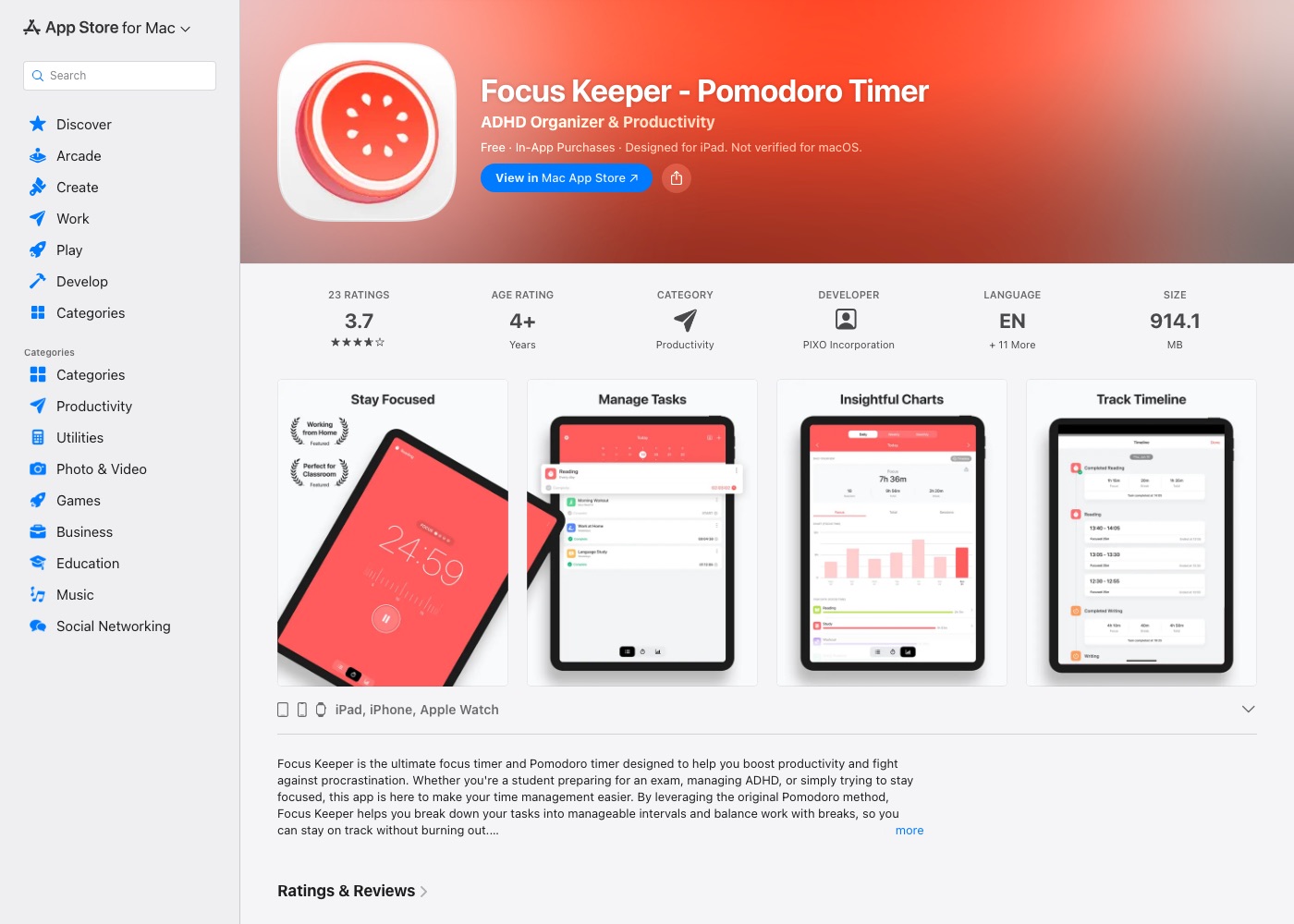
Focus Keeper provides interval timing on mobile devices with a focus on progress analytics. The interface uses a physical dial design to adjust work and break durations. It logs completed interval counts and displays productivity charts covering daily, weekly, and monthly periods.
Pros:
- Detailed charts for tracking work volume over time.
- Apple Watch support for monitoring timers from your wrist.
- Simple dial interface for adjusting session lengths.
Cons:
- Runs on iOS devices rather than as a native Mac application.
- Free version contains feature limits and ads.
Best for: iPhone and Apple Watch users who want detailed productivity charts.
5. Toggl Track — Best for Teams and Time Tracking
Platform: macOS, Windows, iOS, Android, Web
Price: Free basic tier; paid plans from $9/user/month
Timer location: Desktop app, browser extension, or mobile
Standout feature: Comprehensive time tracking and reporting
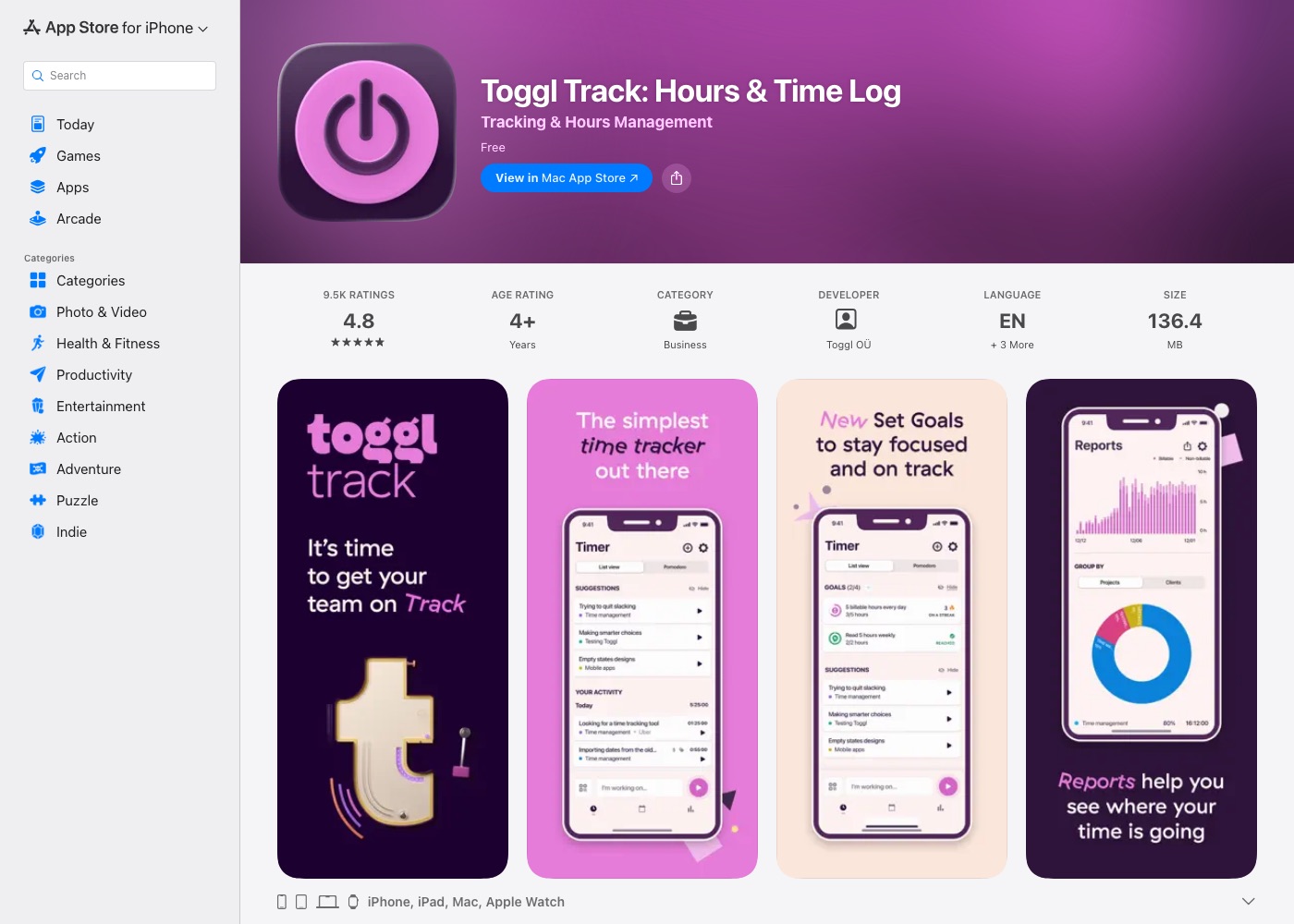
Toggl Track combines time tracking with optional Pomodoro notifications. It allows you to categorize entries by client, project, and tag, making it suitable for billable hours and team reporting. The built-in Pomodoro mode sends reminders to take breaks after specified tracking intervals.
Pros:
- Detailed reporting with client and project tagging.
- Cross-platform availability across desktop, web, and mobile.
- Workspace features for managing team project hours.
Cons:
- More complex than a standalone focus timer.
- Requires account creation and setup before starting sessions.
Best for: Freelancers and teams who need detailed client time-tracking alongside interval reminders.