Best Desktop Pet Apps for Mac in 2026
1 September 2026
Rethinking standard Pomodoro timers, a new category of Mac apps puts an animated companion on your screen while you work. The countdown works the same everywhere, but the real difference lies in where the app sits, how it affects your workspace, and how it rewards completed focus sessions.
Here is a simple breakdown of the 6 best Mac companion apps in 2026.
Quick Summary
- Best overall: Focus Kitten — Menu bar timer with lo-fi music and positive gamification that turns focus hours into rewards.
- Best floating window: Focus Kitty — A companion that sits directly on top of your open desktop windows.
- Best for collecting: Buw — Menu bar bird that unlocks rare creature forms when you finish sessions.
- Best basic timer: FocusCat — Simple window app with scheduled profiles for study and work.
- Best for iPhone + Mac: Mofu — Timer with evolving pets that sync across Mac, iPad, and iPhone.
- Best ultra-light option: FocusPet — 1.8 MB menu bar tool with a simple ocean animation.
1. Focus Kitten — Best overall workspace companion
Platform: macOS
Price: 14-day free trial (no card needed), then a subscription
Where it lives: Mac menu bar
Standout feature: Turn focus time into tangible rewards through positive gamification
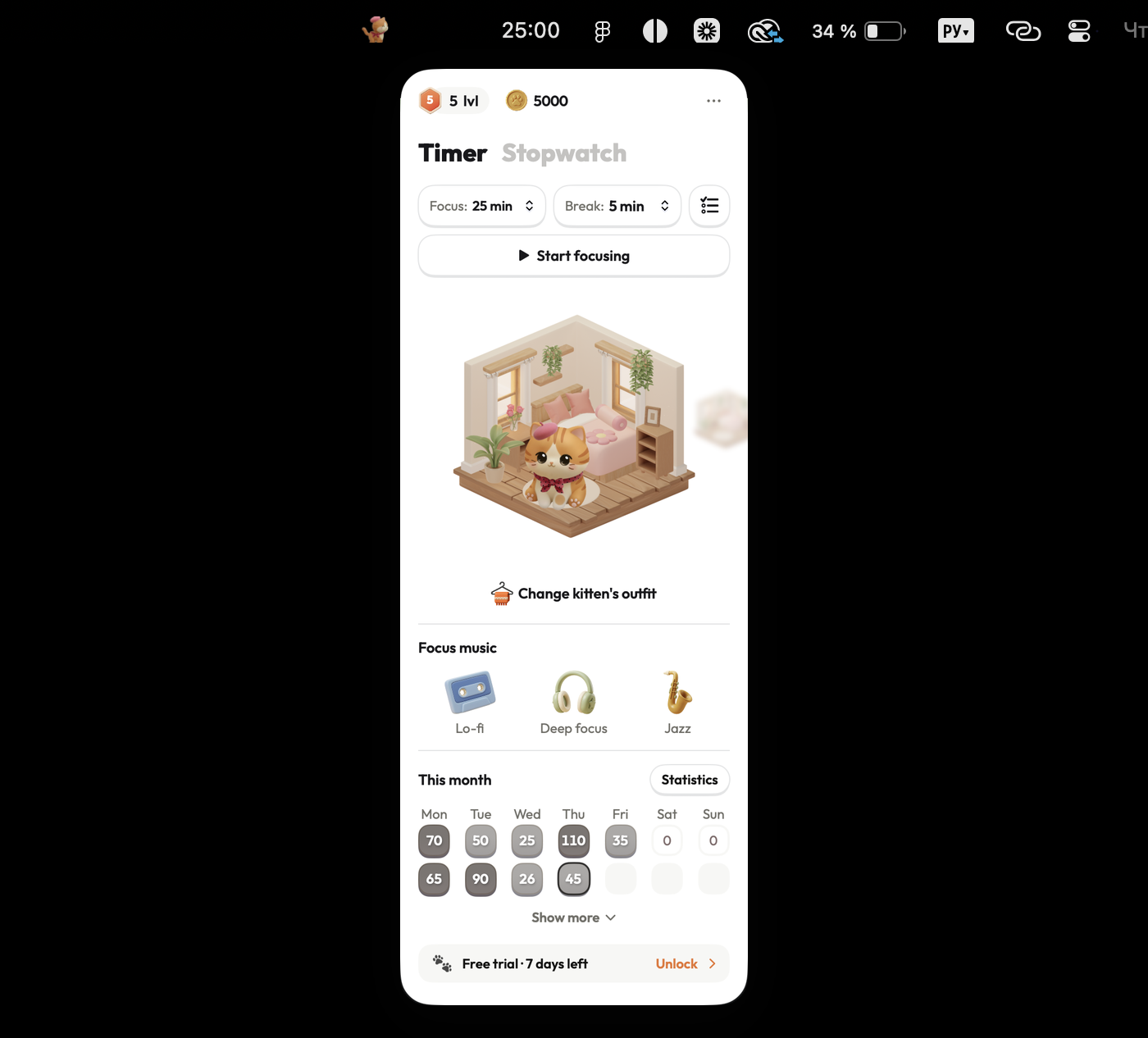
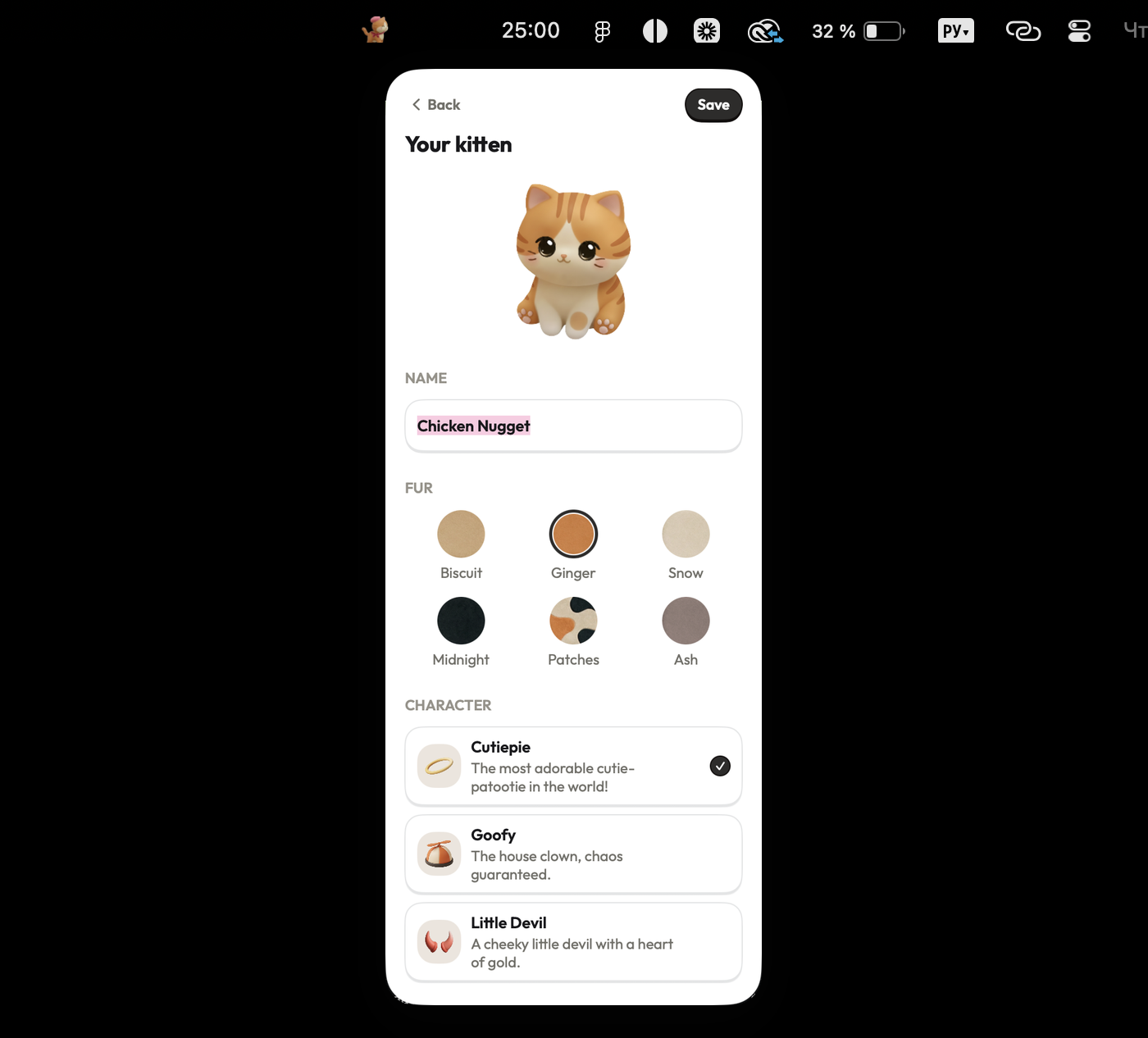
Focus Kitten sits neatly in your macOS menu bar, keeping your main screen 100% free for work. It combines flexible timers (1 to 180 mins) and an open-ended stopwatch with built-in lo-fi, jazz, and ambient music.
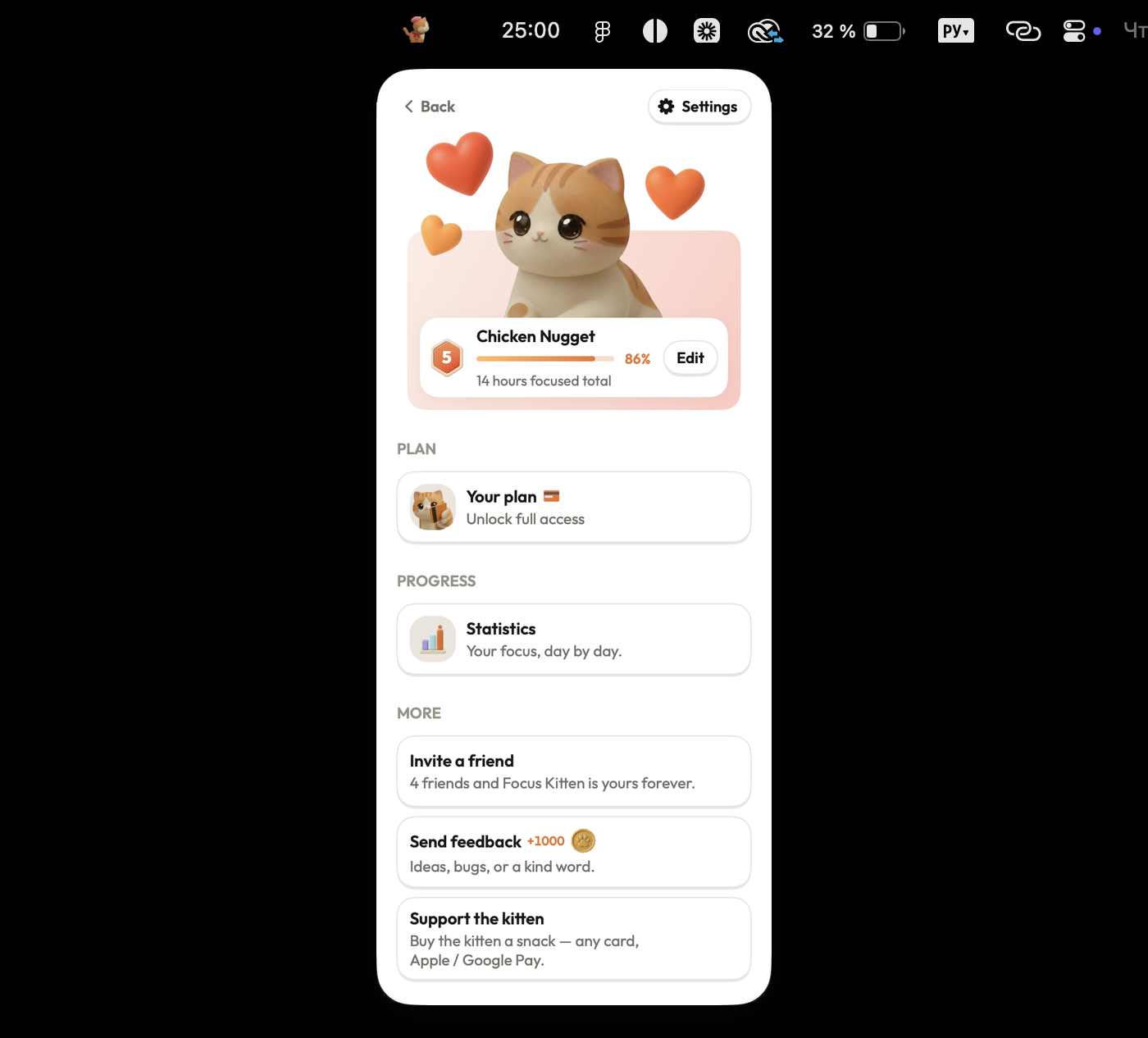
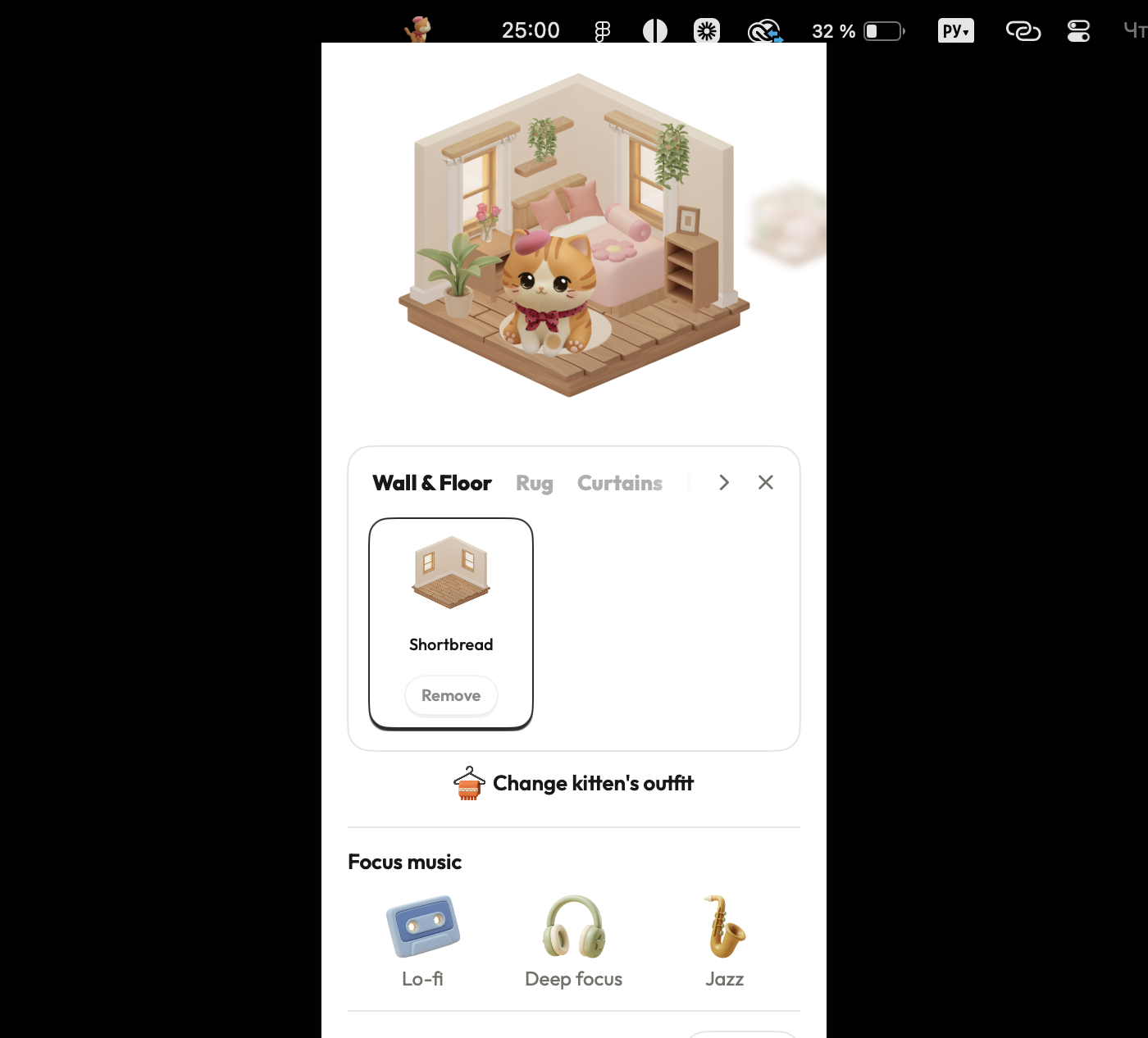
Instead of strict app blockers or artificial pressure, Focus Kitten uses positive gamification to build a sustainable work habit. Every finished session pays out coins you can spend to customize your companion's world. By tying real work hours to visual rewards, it transforms daily tasks into a satisfying, progress-driven ritual.
Pros:
- Lives in the menu bar — keeps your workspace clean without overlapping Figma layers or code
- Reward-based gamification that turns completed work sessions into visible progress
- Built-in lo-fi and jazz tracks mean you don't need separate music apps
- Flexible timer lengths plus an open-ended stopwatch mode
- Zero pressure: no rigid blockers or punishing mechanics
Cons:
- Mac only for now (Windows and mobile versions are in development)
- Requires a subscription after the free trial
Best for: Anyone who wants to make deep work feel engaging and rewarding without rigid discipline.
2. Focus Kitty — Best floating desktop companion
Platform: Mac, iPad, iPhone
Price: Free download, paid upgrade for core features
Where it lives: Floating window on your desktop
Standout feature: Sits directly on top of open app windows
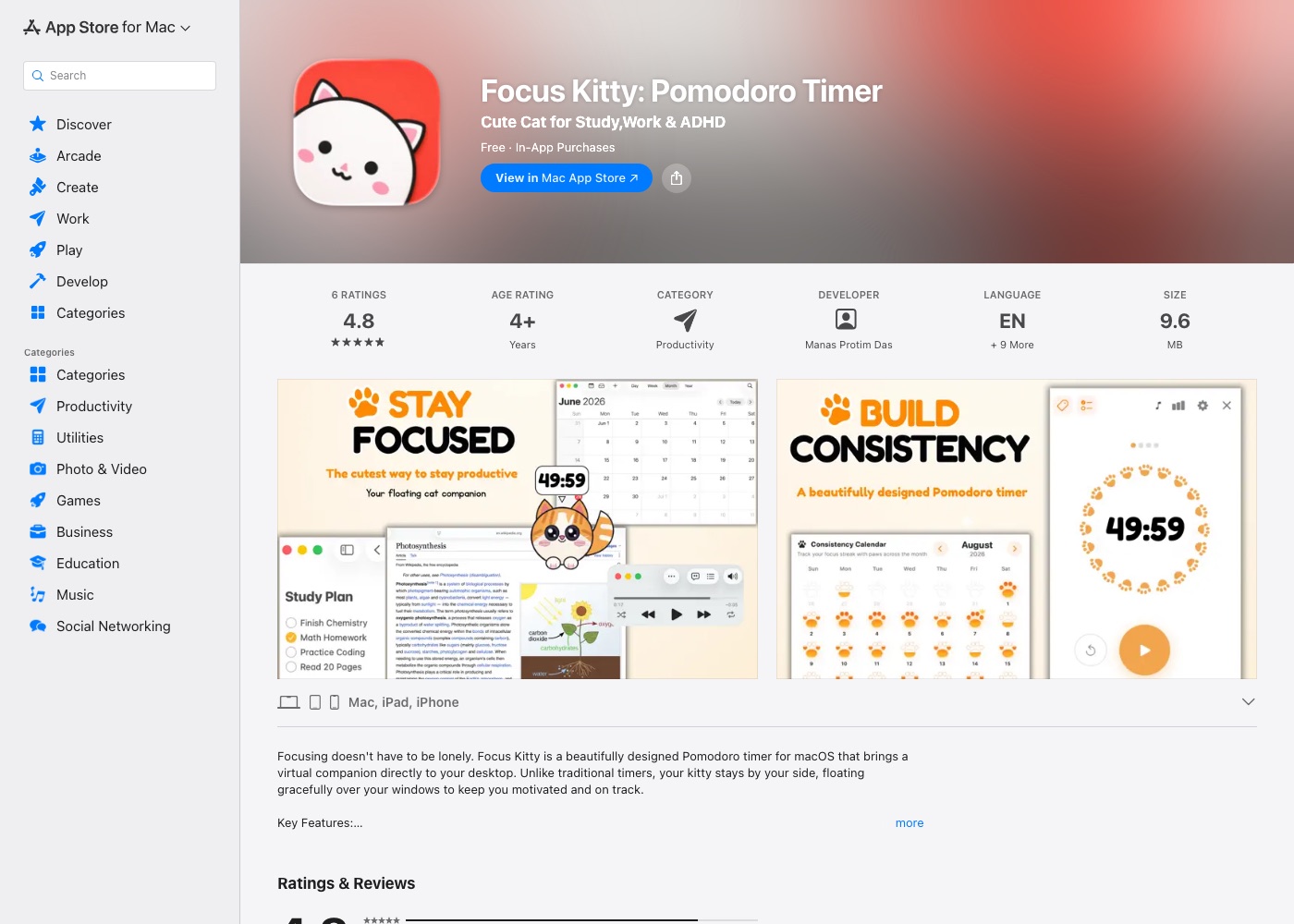
Focus Kitty stays floating right over your work apps so you always see it. It sleeps during breaks, reacts when clicked, and plays simple ambient sounds like rain or purring. It also has an offline task list.
Pros:
- Always visible on top of full-screen apps
- Includes a basic checklist and tag organizer
- Soothing sounds like purring and ocean waves
Cons:
- The floating window can block buttons or tools in design and code apps
- Custom timer lengths, sounds, and special breeds are locked behind the paid tier
- No long-term reward progression system
Best for: People who explicitly want a window overlay sitting on top of their screen.
3. Buw — Best for unlocking collectibles
Platform: Mac, iPad, iPhone
Price: Free with in-app purchases
Where it lives: Menu bar or floating window
Standout feature: Bird transforms into new forms when sessions end
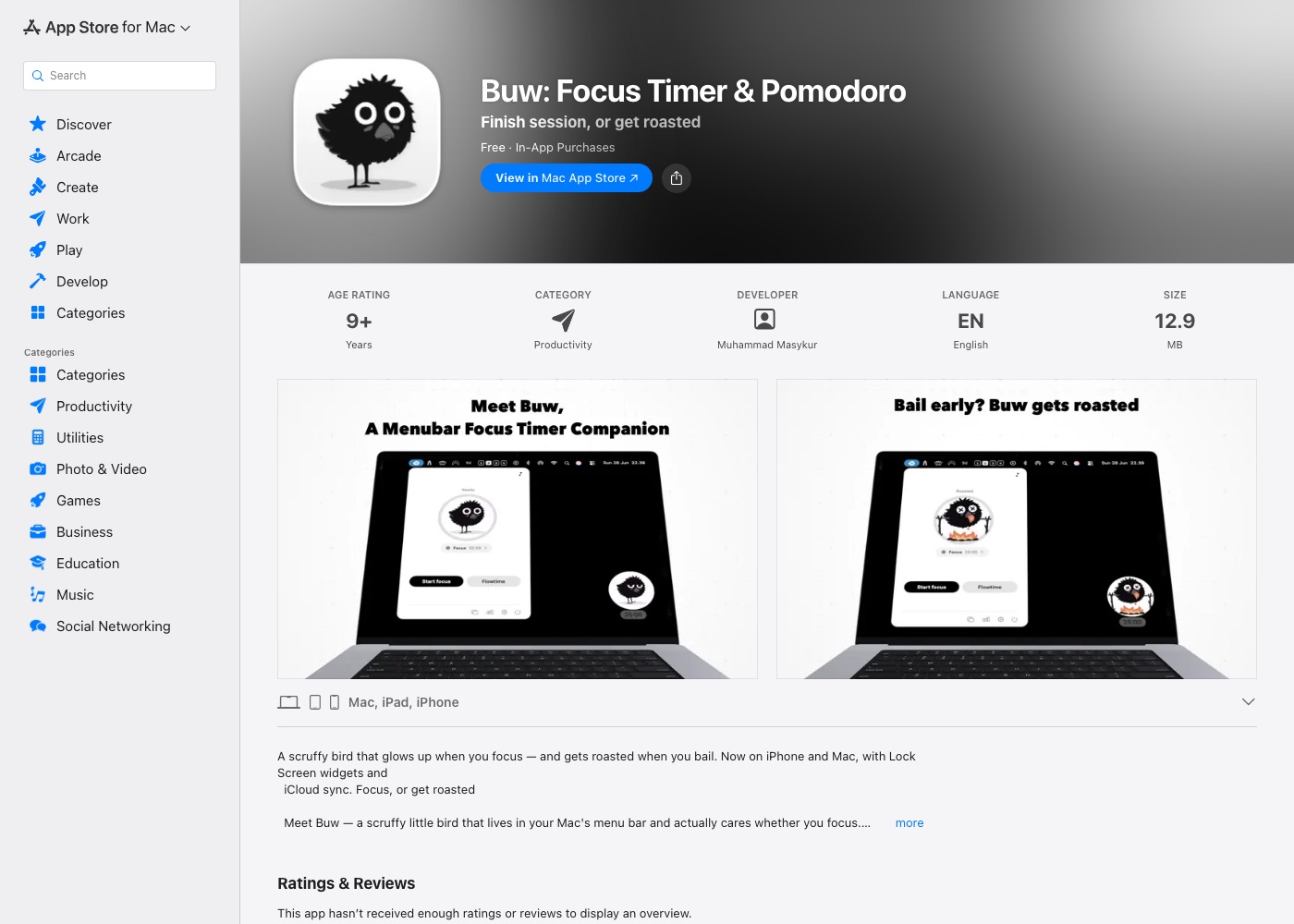
Buw turns session completion into a collection game. When a focus cycle ends, your bird transforms into a mythical creature like a phoenix or peacock. It offers classic Pomodoro cycles, Flowtime mode, and visual heatmaps.
Pros:
- Fun character unlocks for finishing focus sessions
- Supports Flowtime alongside normal Pomodoro cycles
- Detailed focus stats and tag breakdowns
Cons:
- Focused on arcade collecting rather than workspace progression
- No built-in music, only optional forest birdsong
- Game mechanics can feel a bit distracting during serious work
Best for: People who love collecting rare character variants as motivation.
4. FocusCat — Best basic time-blocker
Platform: macOS
Price: Free
Where it lives: Desktop app window
Standout feature: Profiles for blocking out study or work time
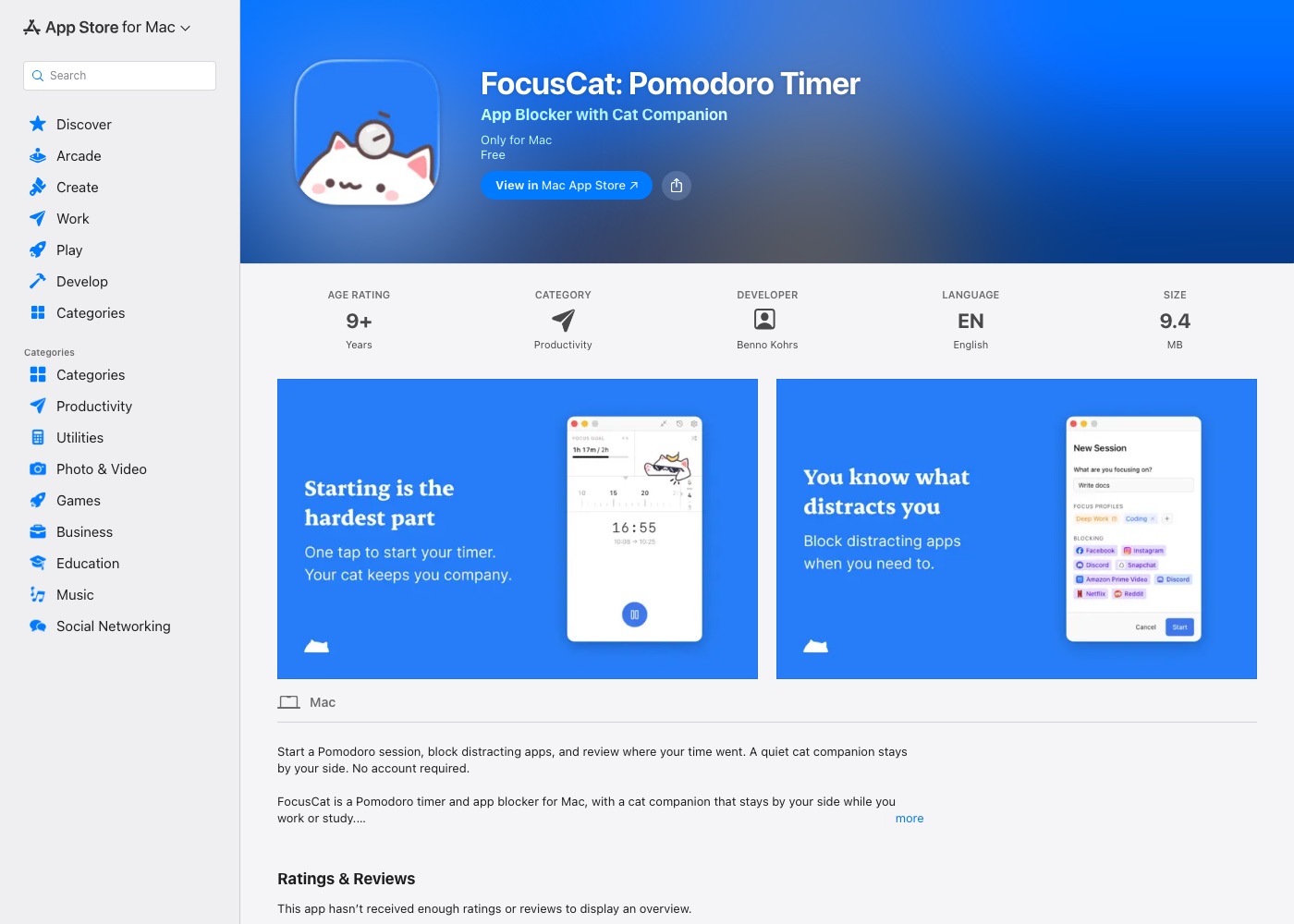
FocusCat is a simple, no-nonsense tool. You create profiles (like Study or Admin) with custom timer lengths. An activity log tracks which apps you used during your session, keeping all data private on your Mac.
Pros:
- 100% free with no account required
- Clean profiles to separate different types of work
- Simple daily activity log
Cons:
- Takes up space as a separate app window in your Dock
- No rewards, coins, or customization options
- Very basic interface
Best for: Anyone who just needs simple time-tracking in a separate window.
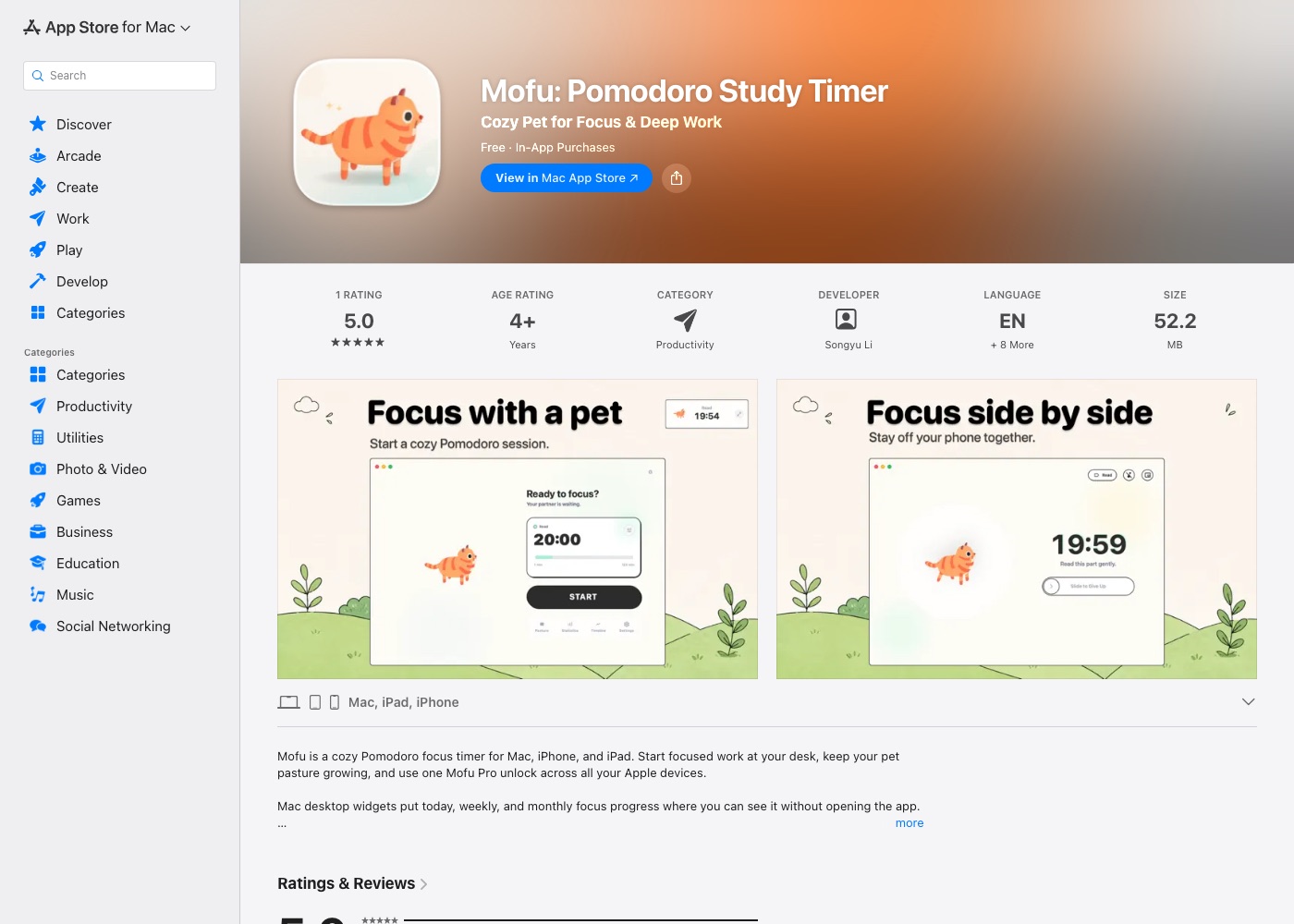
5. Mofu — Best for cross-device users
Platform: Mac, iPad, iPhone
Price: Free download, single Pro purchase
Where it lives: App window & Notification Center widgets
Standout feature: Pets level up across your Mac, iPad, and iPhone
Mofu is great if you switch between mobile and desktop throughout the day. Completed sessions level up your pets, and iCloud sync keeps your stats aligned everywhere. It also includes macOS desktop widgets.
Pros:
- One upgrade covers Mac, iPad, and iPhone via iCloud
- Desktop widgets show daily progress at a glance
- Supports open-ended flow timing
Cons:
- Main app runs in a separate window instead of the menu bar
- Requires Pro for full timeline history and extra sounds
- Larger app download size (52 MB)
Best for: Multi-device users who start timers on their phone as often as their Mac.
6. FocusPet — Best ultra-light utility
Platform: macOS
Price: Free
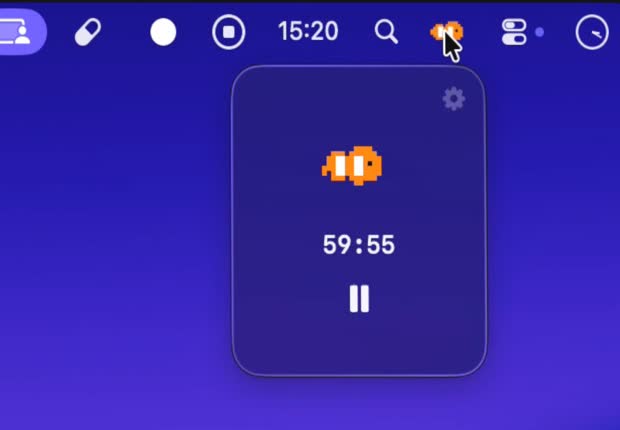
Where it lives: Mac menu bar
Standout feature: 1.8 MB menu bar animation
FocusPet is a tiny menu bar app with zero extras. A small fish, octopus, or jellyfish animates while the timer counts down. It uses almost zero system memory and needs no setup.
Pros:
- Super lightweight (1.8 MB) and fast
- Lives cleanly in the menu bar
- Free with no menus or setup
Cons:
- No statistics, history, or session tracking
- No coins, progress rewards, or customization
- Simple animations can get repetitive
Best for: Minimalists who want a basic timer animation and nothing else.
Which one should you pick?
If you want a floating window on top of your work, try Focus Kitty.
If you need your timer synced with your iPhone or iPad, go with Mofu.
If you want a clean menu bar app with lo-fi music and a rewarding gamification system that turns focus time into visible progress, Focus Kitten is the best fit for Mac.