Best Pomodoro Apps for Mac in 2026
12 August 2026
Mac users seeking structured work blocks often require a Pomodoro timer that operates directly within the macOS desktop interface. Running a timer inside a web browser or mobile app causes friction and app-switching distractions. Applications situated natively in the menu bar allow users to view countdowns, adjust session lengths, and track work intervals without interrupting active desktop workflows.
Quick picks:
- Best for staying motivated to focus: Focus Kitten — Native menu bar timer with an interactive kitten companion, ambient audio, and customizable room rewards.
- Best for break scheduling and motivational quotes: Flow — Menu bar timer with pre-session break configuration, quote notifications, and multi-period statistics.
- Best for simple activity charting without account setup: Tomato One — Menu bar timer with scheduled break intervals and a two-week activity chart requiring no account setup.
- Best for open-source minimalist logging: TomatoBar — Open-source menu bar timer that saves session history directly to a local plain text file.
1. Focus Kitten — Best for staying motivated to focus
Platform: macOS (Apple Silicon and Intel)
Price: a subscription, 14-day free trial without a credit card
Timer location: In the Mac menu bar, visible without switching apps
Standout feature: Kitten menu bar companion with customizable room rewards
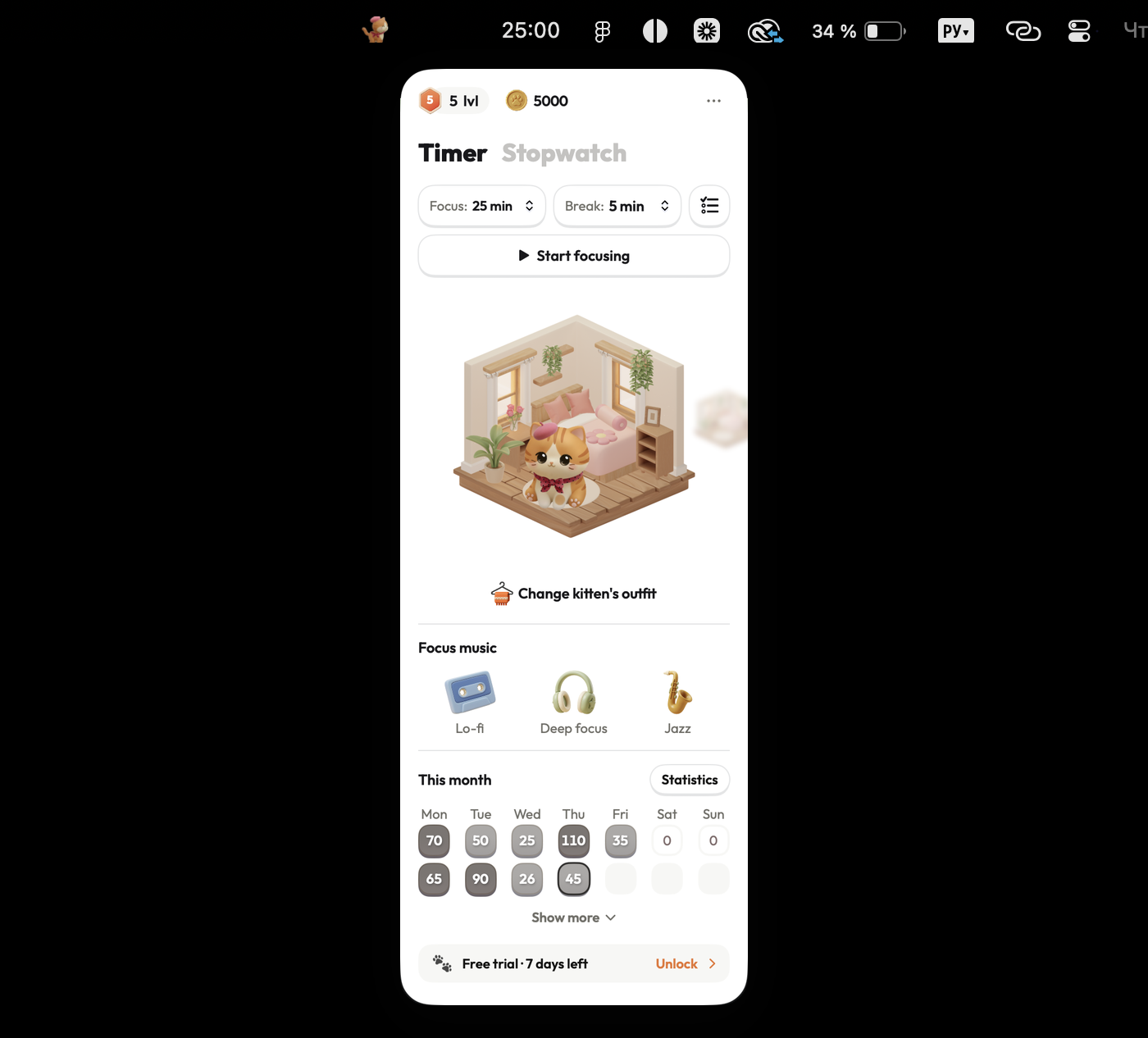
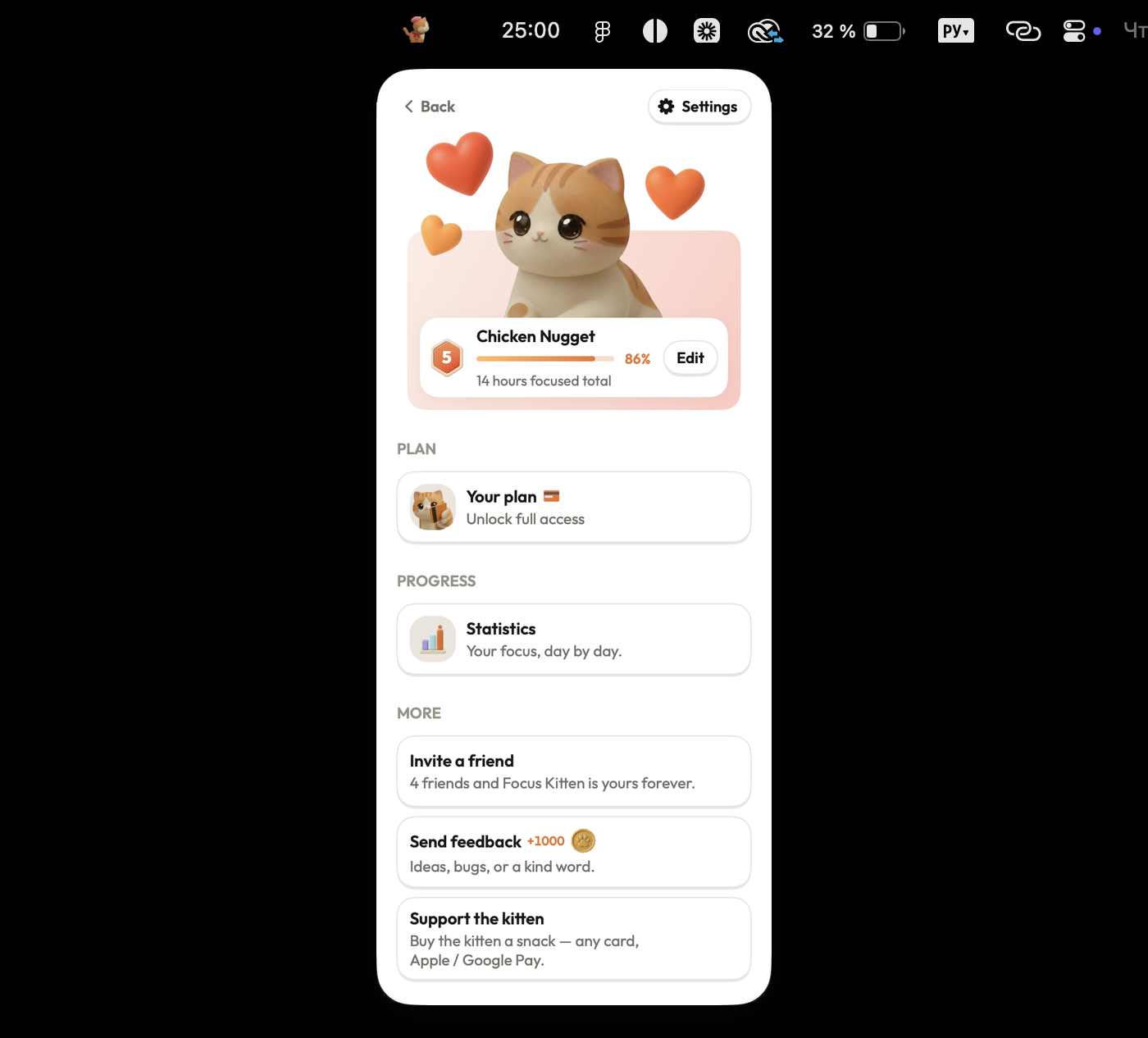
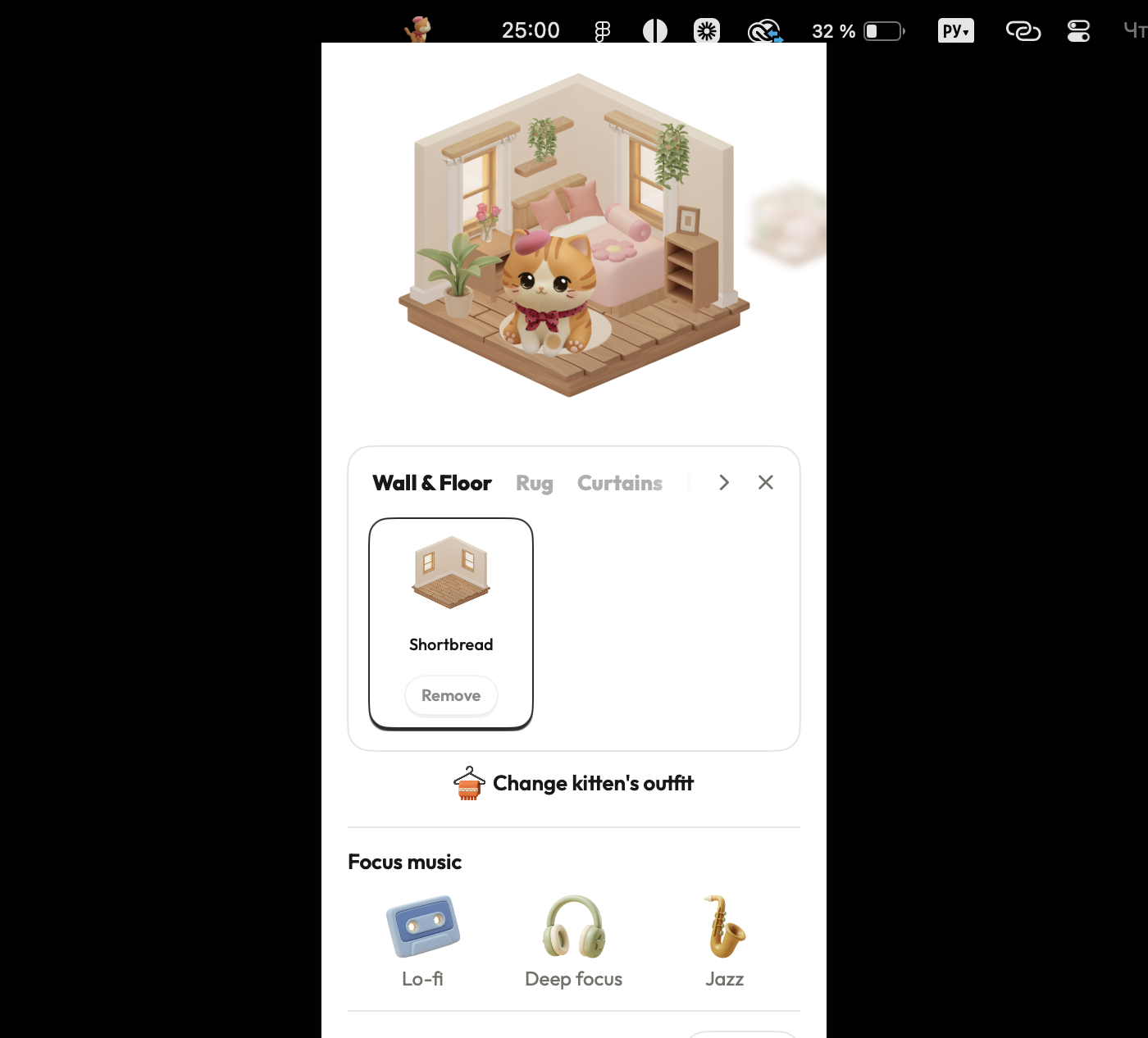
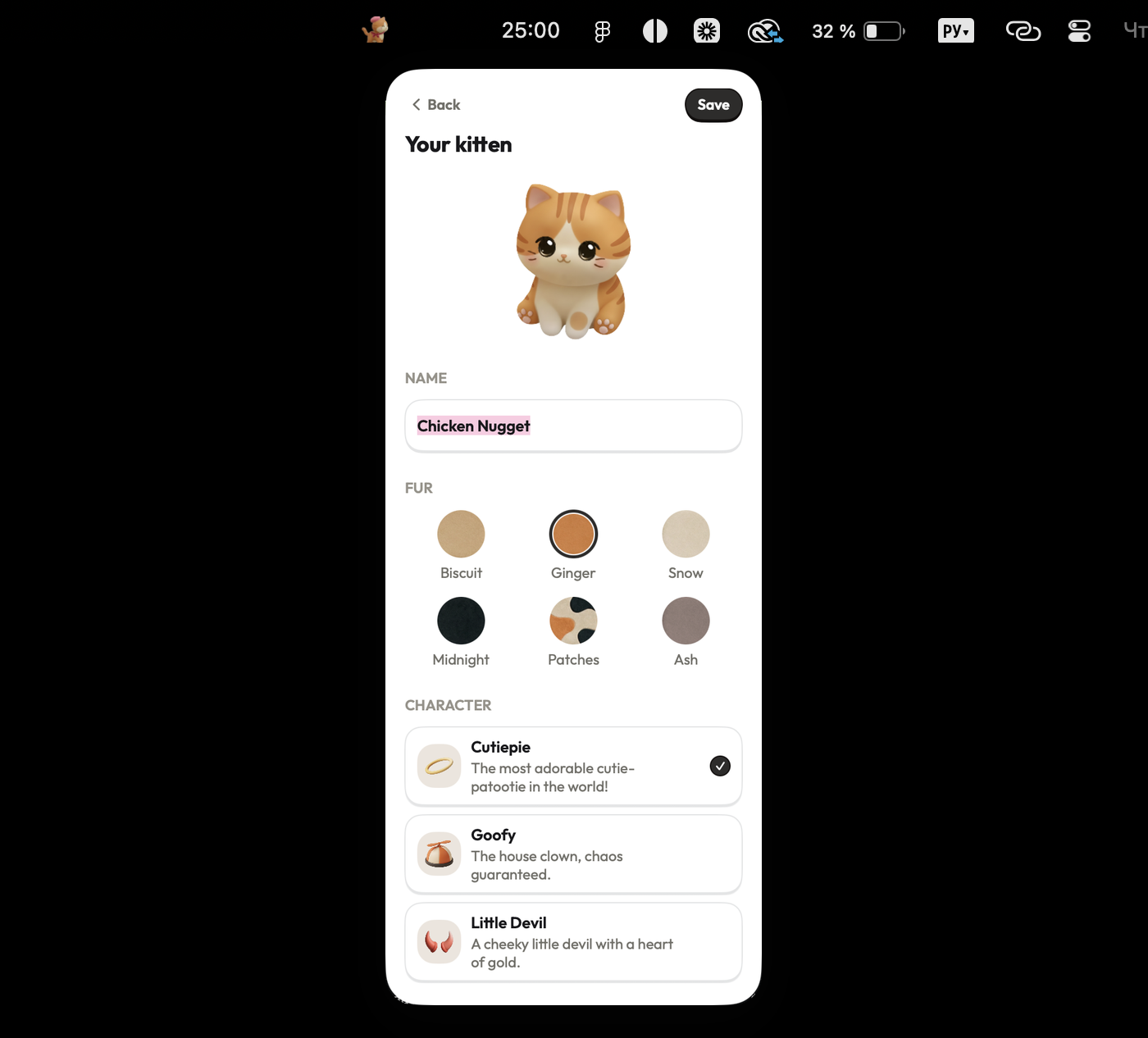
Focus Kitten runs natively in the macOS menu bar alongside an animated kitten companion that develops distinct personality traits over time. Completing customizable focus sessions ranging from 1 to 180 minutes yields virtual coins. Users spend these coins on furniture and outfits to customize the kitten's room. Built-in audio tracks include lo-fi, deep focus, and jazz, while statistics provide daily, weekly, and monthly reports.
Pros:
- Operates natively in the Mac menu bar without interrupting workflows
- Offers flexible session durations from 1 to 180 minutes
- Includes built-in ambient audio tracks (lo-fi, deep focus, jazz)
- Provides visual coin rewards and room customization
Cons:
- macOS only, with no Windows, Linux, or mobile versions available
- Paid subscription required following the 14-day free trial
Best for: Mac users who want a reason to stay motivated through every focus session.
Checked against focuskitten.com (internal data) on 12 August 2026.
2. Flow — Best for break scheduling and motivational quotes
Platform: macOS
Price: Not specified in app details
Timer location: In the Mac menu bar, visible without switching apps
Standout feature: Pre-session break configuration and system quote notifications
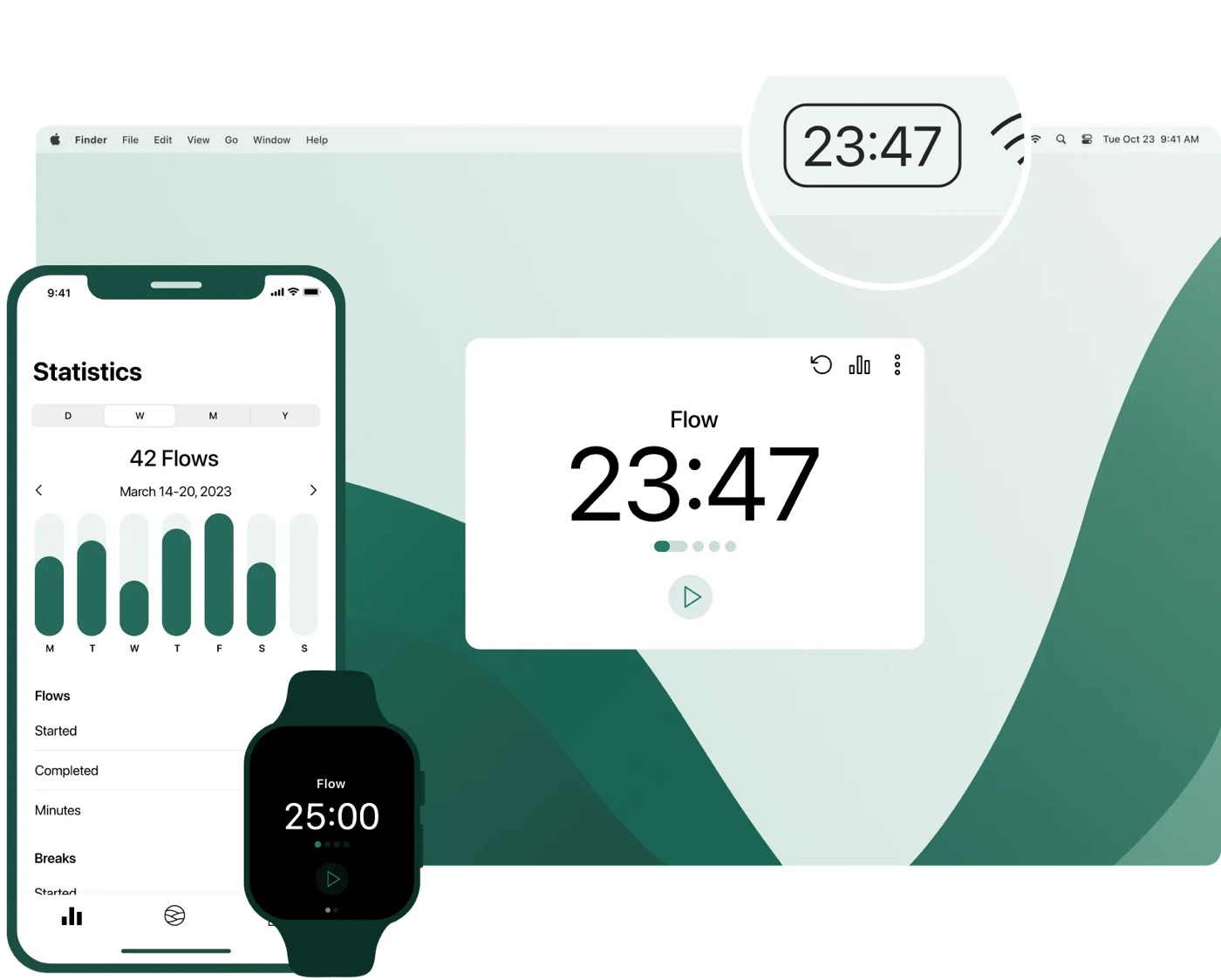
Flow is a minimalist Pomodoro application located in the macOS menu bar. Users select preset work session durations and configure break lengths prior to starting each timer block. When a session completes, the app displays a system notification featuring an inspirational quote. Flow generates statistical summaries across daily, weekly, and monthly periods, while synchronization and Pro features require account registration.
Pros:
- Runs directly in the menu bar to avoid application switching
- Allows explicit break length configuration prior to starting sessions
- Provides daily, weekly, and monthly statistical summaries
Cons:
- Price is not specified in app details
- Audio feedback is limited strictly to metronome clicks without background music
- Requires account creation for data synchronization and Pro features
Best for: Users wanting menu bar interval timing with explicit break scheduling and quote notifications.
Checked against flow.app on 12 August 2026.
3. Tomato One — Best for simple activity charting without account setup
Platform: macOS
Price: Not specified in app details
Timer location: In the Mac menu bar, visible without switching apps
Standout feature: Two-week activity chart and zero-registration menu bar timing
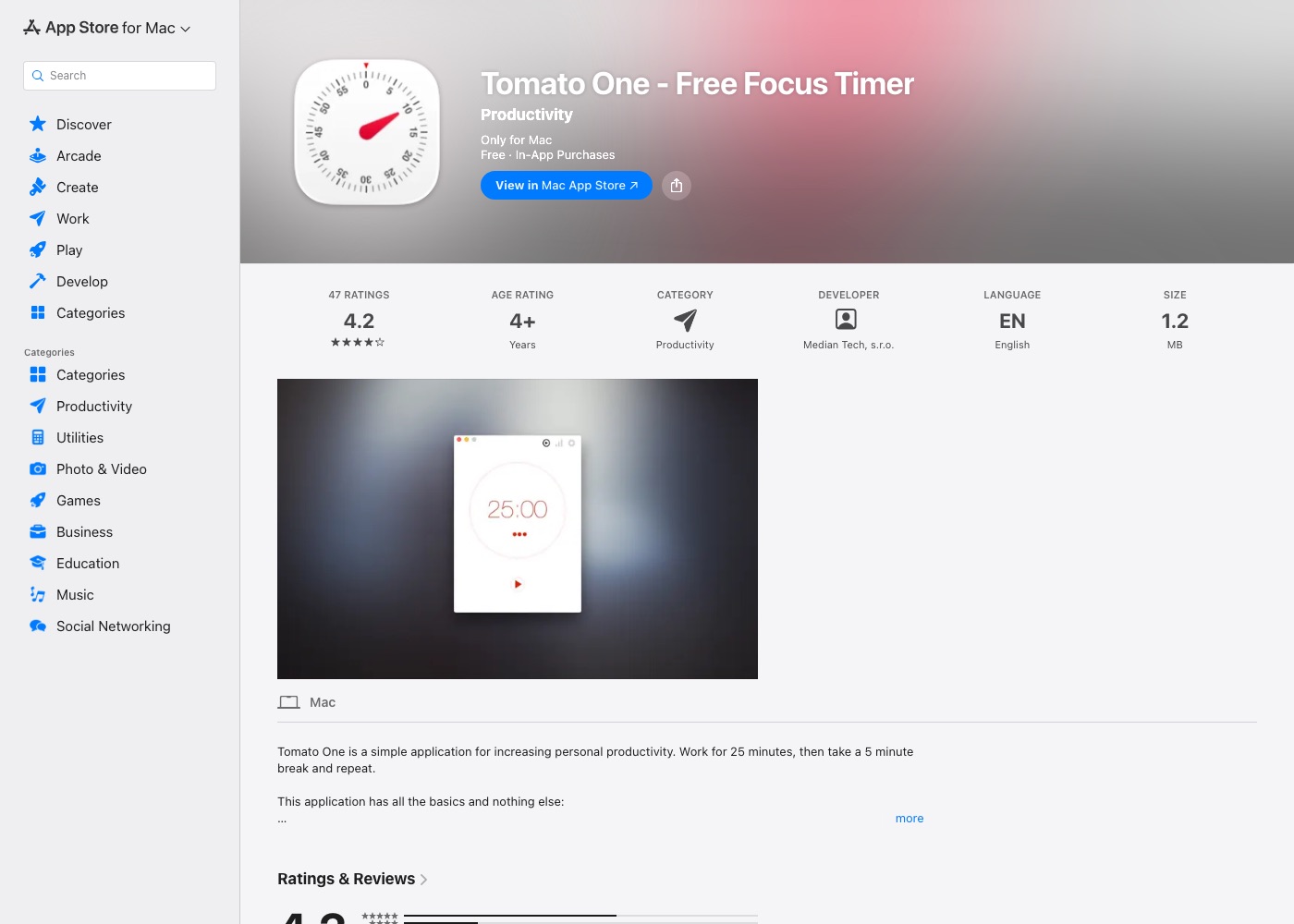
Tomato One provides simple Pomodoro timing directly from the macOS menu bar. The application opens immediately without registration requirements, letting users configure short and long work sessions alongside scheduled breaks in app settings. Session finishes trigger audio alerts, while an integrated activity chart displays completed intervals over a two-week period.
Pros:
- Requires no account creation and opens immediately
- Sits in the menu bar for zero-switch interval visibility
- Displays completed work sessions in a two-week activity chart
Cons:
- Price is not specified in app details
- Built-in music availability is not specified in app details
- Activity statistics tracking is limited to a two-week window
Best for: Mac users needing basic menu bar interval timing with a simple activity chart and no account registration.
Checked against Tomato One listing in the Mac App Store on 12 August 2026.
4. TomatoBar — Best for open-source minimalist logging
Platform: macOS
Price: Not specified in app details
Timer location: In the Mac menu bar, visible without switching apps
Standout feature: Open-source menu bar Pomodoro timer with local text log
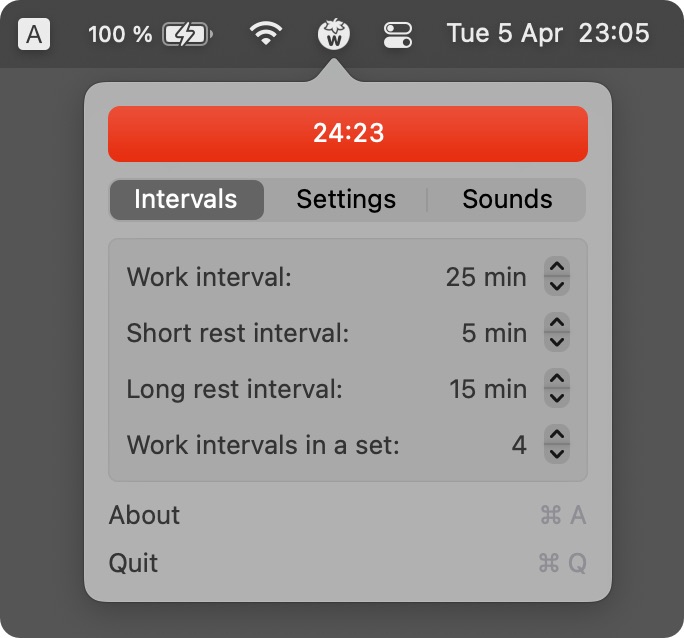
TomatoBar is a lightweight open-source Pomodoro timer designed for macOS. Positioned in the menu bar, it functions without requiring account registration. Focus blocks run on preset time intervals, while audio alerts are restricted to ticking sounds. Completed session details are written automatically to a plain text file stored locally on the user's Mac.
Pros:
- Open-source application requiring no account setup
- Operates from the menu bar for minimal visual distraction
- Logs session data locally in a plain text file
Cons:
- Price is not specified in app details
- Relies on preset session lengths rather than custom timer ranges
- Lacks ambient music options and visual gamification features
Best for: Minimalist Mac users wanting an open-source menu bar timer with local text-file logging.
Checked against TomatoBar project page on GitHub on 12 August 2026.